
Tag: KPlayer

Update

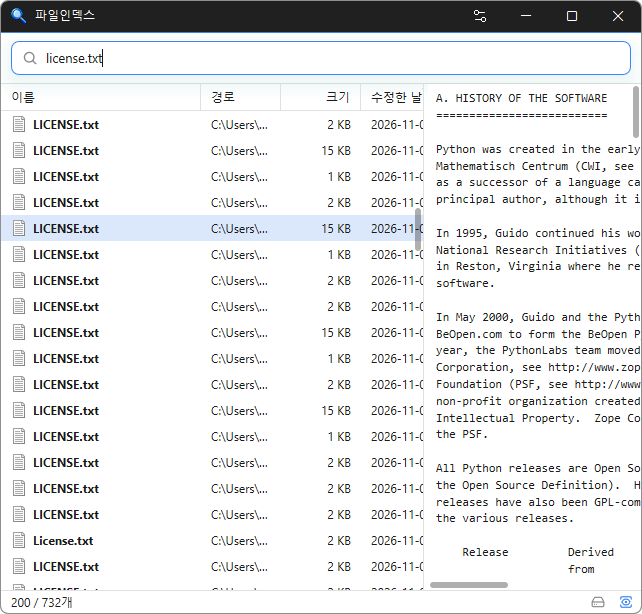
FileIndex 0.9.5 Update

Reduced screen freezes when using the list or opening files, folders, and web addresses Changed document preview tables to wrap long text without spaces within the cell Changed document previews to update after keyboard selection stops moving Fixed black areas that remained when resizing the window with a document preview open Instantly find files across your entire PC by simply typing a file name. Supports Korean initial consonant search to find files with just a few keystrokes. Offers advanced search filters, including extensions, file sizes, wildcards, and regular expressions. Detects duplicate files by comparing names, sizes, and file contents. Keeps search results up to date by tracking file changes in real time. Minimizes system impact with fast initial indexing and low memory usage. Supports opening, copying, dragging and dropping, and previewing files just like File Explorer. Keeps your file index stored locally without sending data to external servers. Supports 22 languages and light and dark themes.
Read more — FileIndex 0.9.5 Update
Update

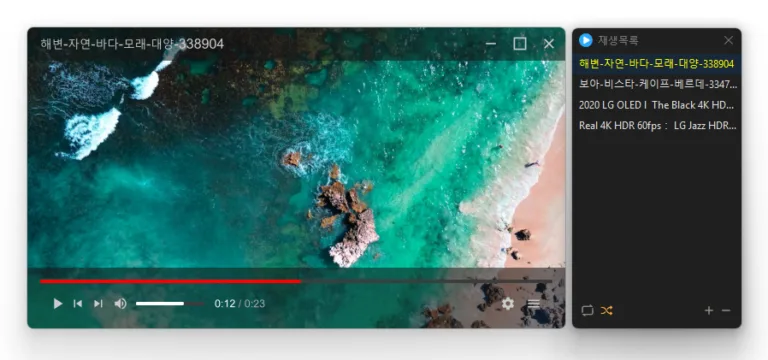
KPlayer 1.3.0 Update

Added aspect ratio preservation when resizing from a window edge Changed shortcut settings to assign keys for each action Refined recovery after graphics errors in some environments Added selection of multiple playlist items by dragging across empty space Centered value labels on settings sliders Added shortcuts for changing the display size Added a shortcut for rotating the display Changed subtitle color selection to use a clickable color box Added playlist search Fixed the edge scrolling direction when moving playlist items Fixed seeking and volume adjustment failures in some locales Plays many media formats right away, with no extra codecs to install. Hardware acceleration keeps high-resolution video smooth. Ready to use as soon as it is installed, and it stays light and fast.

Read more — KPlayer 1.3.0 Update
Update

KPlayer 1.2.0 Update

Fixed the Always on Top state changing after switching apps or closing Settings Fixed video duration appearing one second longer than the actual length Fixed playback crashes in some environments Fixed an error when closing the program after playback Prevented crashes when adding deeply nested folders to the list Plays many media formats right away, with no extra codecs to install. Hardware acceleration keeps high-resolution video smooth. Ready to use as soon as it is installed, and it stays light and fast.

Read more — KPlayer 1.2.0 Update
Update

KPlayer 1.1.7 Update

Fixed previous videos retaining memory after switching to the next video on some systems Reduced memory usage when previewing 4K AV1 videos on some systems Added a spinning LP with a circular title display when playing music without cover art Fixed a brief white window appearing immediately after launch on some Windows 11 systems Changed opening an associated file to replace the existing playlist with the opened files Added playback progress to the taskbar button Added file name search to the playlist window Plays many media formats right away, with no extra codecs to install. Hardware acceleration keeps high-resolution video smooth. Ready to use as soon as it is installed, and it stays light and fast.

Read more — KPlayer 1.1.7 Update
Update

KPlayer 1.0.0 Update

Added faster file and folder access from the start screen, right click menu, and Ctrl+O Improved file opening to easily find and play 38 media formats Improved file associations and icons so major media files are ready immediately after installation Prevented launch issues affecting some users when required components were missing Added customizable mouse actions and keyboard shortcuts Plays many media formats right away, with no extra codecs to install. Hardware acceleration keeps high-resolution video smooth. Ready to use as soon as it is installed, and it stays light and fast.

Read more — KPlayer 1.0.0 Update