
Update
- Changed sized sign-in popups to open in a separate window
- Conveniently watch videos from OTT services and various other websites.
- Automatically switch full-screen video to a PIP window.
- Freely adjust the position and size of the PIP window.
- Keep watching in the PIP window while doing other work.
- Save an entire web page as an image with a hotkey.
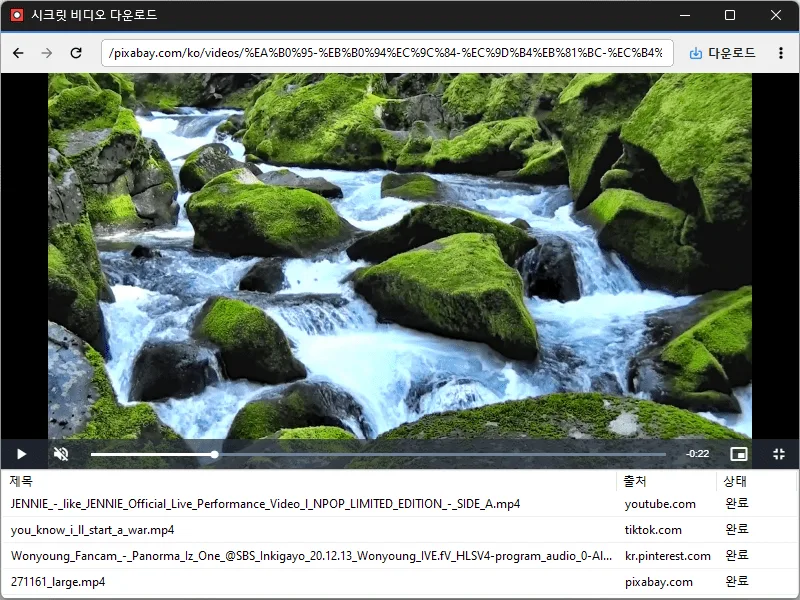
- Easily save publicly available videos.
Website
- Secret Video: https://secretvideo.kilho.net
History
-
Version 1.4.0 (2026/10/24)
- Changed save-folder selection from a Browse button to clicking the field
- Changed shortcut-entry styling to muted text and an accent border
- Refined dropdowns to highlight only the item under the pointer
- Refined separators and the delete item label in the download-list context menu
- Updated the installer to close a running app normally during installation and removal
-
Version 1.3.5 (2026/10/19)
- Expanded support for video and social media platforms
- Added automatic extension updates
- Added a Home button to the address bar
-
Version 1.3.4 (2026/10/06)
- Added recording of the screen playing within the app
- Improved settings to manage save options and extensions in one place
- Added an option to enable or disable hardware acceleration
- Improved the download button to show the list for videos already downloading or downloaded
- Improved extensions to update automatically to the latest version
- Fixed video download failures / incorrectly displayed download buttons on some sites
-
Version 1.3.3 (2026/09/30)
- Improved downloads from older video links
- Added support for videos that open at a new address
- Improved downloads in some cases where video details were unavailable
License
- Secret Video is freeware.
- You can use it freely anywhere, including at your company, home, government office, or school.
- You may freely distribute the program itself. (This does not grant permission to redistribute videos saved with the program.)
Download
 Download
(Windows)
Frequently Asked Questions (FAQ)
- What is the PIP (picture-in-picture) feature?
It automatically switches full-screen videos on websites to a PIP window, so you can watch videos while doing other tasks. - Can I change the position or size of the PIP window?
Yes. You can freely adjust the PIP window’s position and size, keep it always on top, and your last settings are saved automatically. - Which websites’ videos are supported?
Videos from various websites are supported. Use may be restricted by each site’s policies and copyright rules, so check the site’s terms of use before using the program. - Can I download copyrighted videos?
Copyright remains in effect even for publicly available videos. Copying or redistributing videos beyond personal use may violate copyright law, so check each site’s terms of use and obtain permission from the copyright holder before using them.
Related Links
- Update information: https://kilho.net/archives/notice/2940