
Update
- Changed Windows startup settings to show their current state and enabled startup after installation
- Changed installation and removal to close the running app cleanly first
- Keeps your computer from going into sleep mode or turning off the screen while you work.
- Works without adjusting any Windows power or sleep settings.
- Rebuilt in C to greatly reduce the program's file size.
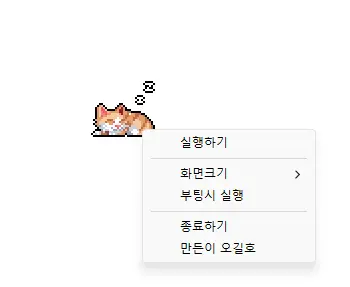
- Click the cute animated cat on your screen to turn sleep prevention on or off.
Website
- StayOn: https://kilho.net/stayon
History
-
Version 2.0.1 (2026/10/21)
- Added a Windows tray icon, left-click to toggle running and stopped states and right-click to open the menu
- Added an option to hide the cat, with the setting preserved on next launch
- Added cumulative uptime in hours and minutes to the Windows taskbar, with eight color choices and an option to hide it
-
Version 2.0.0 (2026/09/21)
- Redesigned the app for a lighter and more reliable experience
- Improved prevention of screen timeout, sleep mode, and unexpected Away status in apps such as Teams
- Added 100%, 200%, and 400% display size options
- Added automatic saving of window position and display size, and improved multi-monitor placement
-
Version 1.0.2 (2024/11/25)
- Removed Delphi VCL Styles completely
- Resolved Direct2D errors occurring on specific computer environments
- Enhanced HiDPI optimization.
-
Version 1.0.1 (2024/11/16)
- Added support for Italian, French, and Russian
- Updated DzHTMLText library
Download
 Download
(Windows)
 Download
(macOS)
License
- StayOn is freeware.
- You can use it freely anywhere, including at work, at home, in government offices, and at school.
- You’re free to distribute it anywhere.
Frequently Asked Questions (FAQ)
- What does the program do?
It prevents your computer from going to sleep or turning off the display by launching a screen saver while you’re working. - Do I need to change Windows power settings manually?
No. You don’t need to adjust Windows power or sleep settings. Sleep mode and display shutdown are disabled only while StayOn is running. - Does it change my Windows settings?
No. It doesn’t change any Windows settings. Once you close StayOn, your computer goes back to using your original power settings. - Do I need to install it?
No. You can run the downloaded file right away without installing anything. - Does it include ads or adware?
No. StayOn is free of ads and adware, and it won’t install any unwanted programs. - Is it free to use?
Yes. StayOn is freeware and can be used for free anywhere, including at work, at home, in government offices, and at school.
Related Links
- About the program: https://kilho.net/stayon
- Update notice: https://kilho.net/archives/notice/2940