
Update
- Fixed unexpected exits during cleanup in some environments
- Adjusted window size after display scaling or resolution changes
- Refined list scrolling and selected row visibility
- Improved launch compatibility with Windows 7, 8, and 8.1
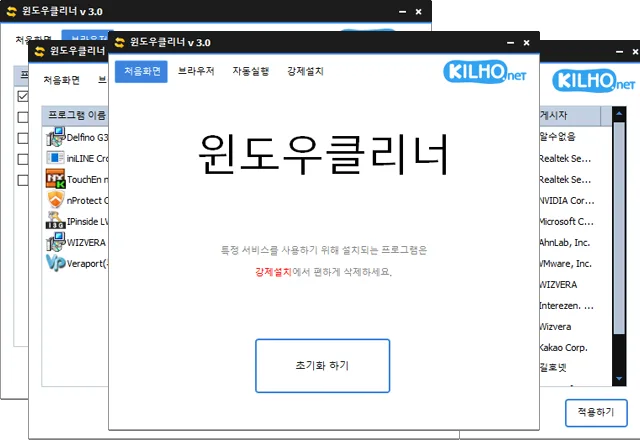
- Easily remove unwanted or forcibly installed security programs.
- Cleanly terminate malicious programs that disguise themselves with the same names as Windows system processes.
- Conveniently manage programs that automatically run from various locations at startup.
- Does not close essential drivers such as graphics or sound drivers. (closing them may cause performance issues).
- Does not terminate trusted antivirus software.
Website
- KCleaner: https://kcleaner.kilho.net
History
-
Version 4.0.2 (2026/10/03)
- Reduced unexpected program exits on affected systems
-
Version 4.0.1 (2026/10/01)
- Reduced the risk of memory related errors and improved reliability by porting to Rust
- Added file cleanup with options to choose what to remove
- Improved startup program and service lists for easier management
- Fixed unexpected program exits immediately after launch on affected systems
- Improved loading speed for startup/unwanted program lists
- Reduced screen freezes when refreshing lists
-
Version 3.8.8 (2026/07/15)
- Improved memory optimization speed and reliability
- Enhanced desktop display stability across various PC environments
- Improved speed by streamlining the cleanup process
- Improved browser-focused memory management efficiency
- Added support for Spanish language.
-
Version 3.8.7 (2026/04/15)
- Fixed a crash caused by misbehaving security software interfering after clicking the Run button
- Applied code signing certificate and improved signing process
License
- KCleaner is freeware.
- Use it freely anywhere, whether at work, at home, in a government office, or at school.
- You can freely distribute it anywhere.
Download
 Download
(Windows)
Frequently Asked Questions (FAQ)
- Is KCleaner free?
Yes, you can use KCleaner for free anywhere, including at work, at home, at school, and in government offices. - Can I remove security programs with KCleaner?
Yes, you can easily remove security programs that are forcibly installed by bank websites. - Will KCleaner shut down important drivers or antivirus software?
No, it won’t shut down essential drivers (such as graphics and audio drivers) or trusted antivirus software. - Will using KCleaner improve my computer’s performance?
Yes, by closing unnecessary programs and toolbars, it can improve your PC’s performance and make your web browser faster. - Do I need to install the program?
No, KCleaner is a single file that you can use right away without installing it.
Related Links
- Update details: https://kilho.net/archives/notice/2940