Update ·

KPlayer 1.4.0 Update

Update

  • Fixed the mouse cursor not reappearing after seeking in fullscreen on some systems
  • Added separate settings to hide the caption and control bar
  • Added support for macOS 11 and later
  • Plays many media formats right away, with no extra codecs to install.
  • Hardware acceleration keeps high-resolution video smooth.
  • Ready to use as soon as it is installed, and it stays light and fast.

Website

History

  • Version 1.3.7 (2026/11/24)
    • Fixed playlist and settings windows not closing with their opening shortcuts
    • Fixed inconsistent or failed 5-second backward seeking in some files
  • Version 1.3.6 (2026/11/22)
    • Fixed freezes or exits when opening another file during reverse playback
    • Changed screenshot folder selection to open directly by clicking the folder field
    • Improved playlist keyboard navigation and Enter playback when opening or activating the window
    • Expanded automatic addition of related files from the same folder
    • Added playlist/file/subtitle deletion options to the playlist menu
  • Version 1.3.5 (2026/11/21)
    • Added an option to keep playback speed across files during the current session
    • Added an option to choose the playback speed adjustment step
    • Added Windows dark mode support to the installer
  • Version 1.3.4 (2026/11/17)
    • Fixed missing default-app entries and incorrect file-association status on some systems
    • Fixed the cursor not appearing when moving the mouse in fullscreen on secondary monitors

License

  • KPlayer is open-source software.
  • You’re free to use it anywhere, whether at home, at work, in a government office, or at school.
  • You can freely distribute it anywhere.

Download

Frequently Asked Questions (FAQ)

  • Is KPlayer free?
    Yes, KPlayer is free to use anywhere, including at home, at work, in government offices, and at school.
  • What video formats does it support?
    It supports popular media formats, including MP4, MKV, AVI, MOV, WMV, ASF, and MP3.
  • Does it include ads or adware?
    No, KPlayer is completely free of ads and adware. No unwanted programs are installed along with it.
  • Is it open source?
    Yes, KPlayer is distributed as open-source software. You can inspect the source code yourself, and the software is developed transparently.
  • Can I add multiple files at once?
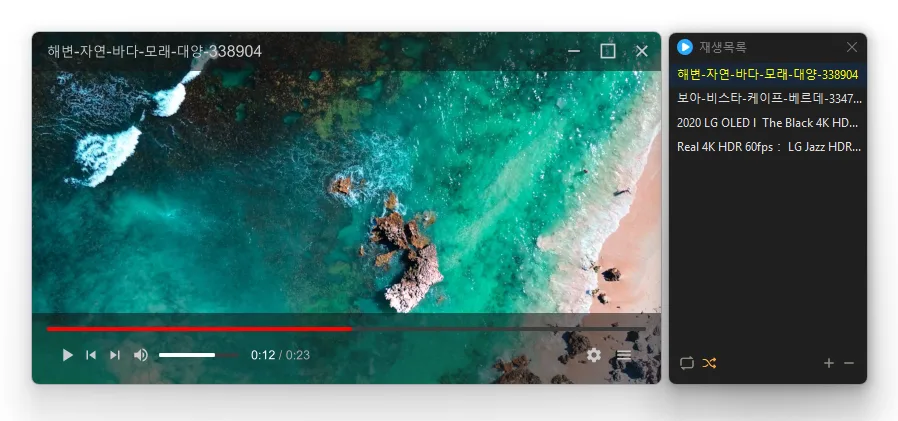
    Yes, you can add multiple files or folders to the playlist at once by dragging and dropping them.

Related Links

Leave a Reply

Your email address will not be published. Required fields are marked *