
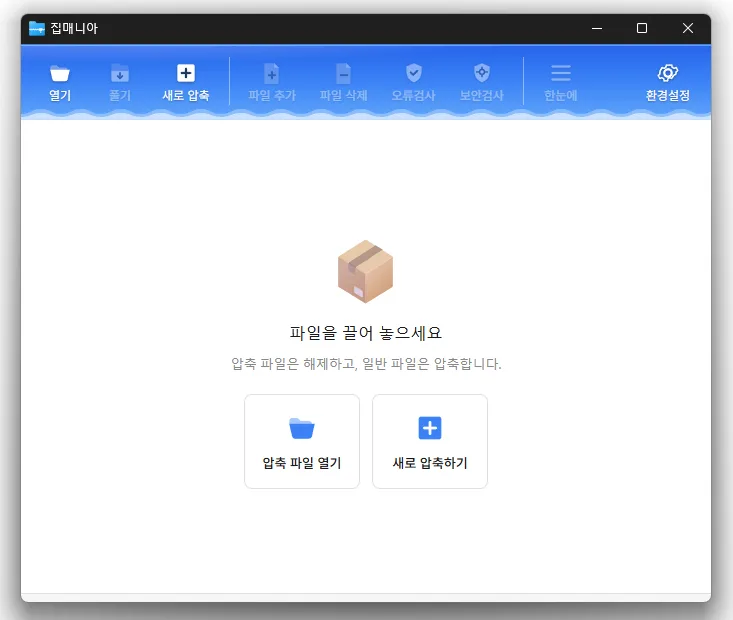
There is a new post. Click here to view the latest post.
Update
- Fixed the Explorer context menu not appearing in some environments
- Added extraction progress when dragging archive items to Explorer and prevented failed items from being transferred
- Fixed previously extracted files opening after an archive was changed
- Added ZipMania and its supported archive formats to Windows default-app settings
- Opens a wide range of archive formats, including ZIP, RAR, 7Z, EGG, ALZ, and ISO.
- Previews images and text without extracting the archive.
- Uses a dedicated ZIP engine for fast compression and extraction.
- Supports password protection, filename encryption, and split archives.
- Compresses and extracts files directly from the Windows Explorer context menu.
- Free to use with no ads or bundled software.
Website
- ZipMania : https://zipmania.kilho.net
History
-
Version 1.0.6 (2026/11/14)
- Preserved original modification times for extracted files and folders
- Improved file name display for some ZIP archives with garbled names
- Added an option to choose how file names are displayed in ZIP, EGG, and ALZ archives
- Changed window sizing to use the remembered size after display scaling or resolution changes
- Fixed window closing and folder opening after batch extraction
- Fixed installer windows appearing behind ZipMania when launched from an archive
-
Version 1.0.3 (2026/11/04)
- Refined confirmation dialogs for adding or deleting files and command line errors
- Added a setting to choose a flat or cascading legacy context menu
- Changed combo box lists so hovered items no longer receive selected item highlighting
- Added closing of running ZipMania processes before installation or uninstallation
- Corrected Russian post compression and Vietnamese new archive translations
- Added Thai language support
-
Version 1.0.2 (2026/10/19)
- Changed how commands appear in the Windows 11 legacy menu
- Added macOS support
-
Version 1.0.1 (2026/10/12)
- Fixed column headings becoming misaligned with content when scrolling the file list horizontally
- Refined window title bar and border design
- Improved Arabic screen layout, menus, file selection and width adjustment
- Updated toolbar icon design and adjusted icon colors in dark mode
- Improved theme selection in settings with a dropdown list
- Improved the appearance of the divider between folder and file lists and column resizing lines
Download


License
- ZipMania is open-source software.
- You can use it freely anywhere, whether at home, at work, in government offices, or at school.
- You’re free to distribute it anywhere.
Frequently Asked Questions (FAQ)
- Which archive formats does it support?
You can open a wide range of archive formats, including ZIP, RAR, 7Z, EGG, ALZ, and ISO. - Does it include ads or adware?
No, ZipMania is free of ads and adware. No unwanted programs are installed along with it. - Is it open source?
Yes, ZipMania is distributed as open-source software. You can inspect the source code, and development is transparent. - Can I view files without extracting them?
Yes, you can preview images and text files without extracting them. - Can I create or extract archives directly in File Explorer?
Yes, you can create or extract archives from the right-click menu in Windows File Explorer.
Related Links
- Program source code : https://github.com/newkilho/ZipMania
- Update information : https://kilho.net/archives/notice/2940