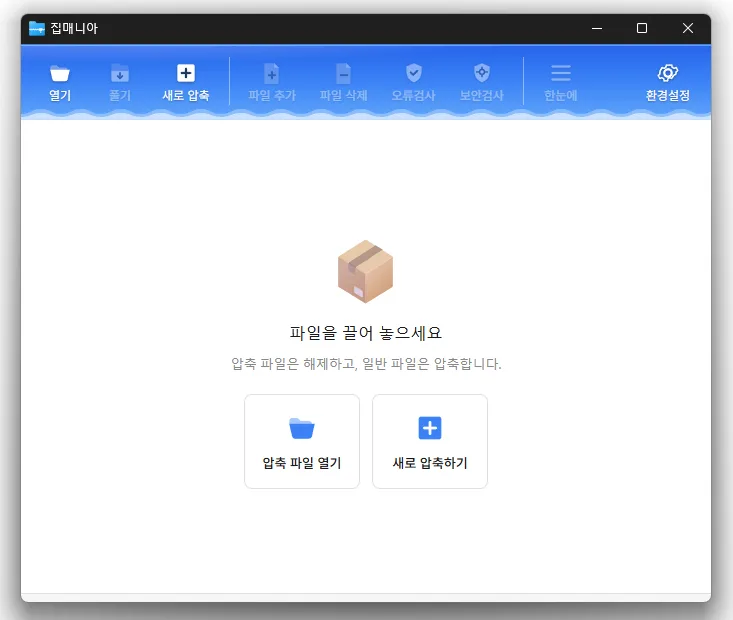
Update ·

ZipMania 1.0.3 Update

Update

  • Refined confirmation dialogs for adding or deleting files and command line errors
  • Added a setting to choose a flat or cascading legacy context menu
  • Changed combo box lists so hovered items no longer receive selected item highlighting
  • Added closing of running ZipMania processes before installation or uninstallation
  • Corrected Russian post compression and Vietnamese new archive translations
  • Added Thai language support
  • Opens a wide range of archive formats, including ZIP, RAR, 7Z, EGG, ALZ, and ISO.
  • Previews images and text without extracting the archive.
  • Uses a dedicated ZIP engine for fast compression and extraction.
  • Supports password protection, filename encryption, and split archives.
  • Compresses and extracts files directly from the Windows Explorer context menu.
  • Free to use with no ads or bundled software.

Website

History

  • Version 1.0.2 (2026/10/19)
    • Changed how commands appear in the Windows 11 legacy menu
    • Added macOS support
  • Version 1.0.1 (2026/10/12)
    • Fixed column headings becoming misaligned with content when scrolling the file list horizontally
    • Refined window title bar and border design
    • Improved Arabic screen layout, menus, file selection and width adjustment
    • Updated toolbar icon design and adjusted icon colors in dark mode
    • Improved theme selection in settings with a dropdown list
    • Improved the appearance of the divider between folder and file lists and column resizing lines
  • Version 1.0.0 (2026/09/30)
    • Fixed compression and extraction windows appearing behind File Explorer
    • Improved update checks on company networks
    • Improved keyboard navigation between folders
    • Simplified the Settings screen
    • Added archive names to window titles
    • Reduced app size and refined the interface
  • Version 0.9.9 (2026/09/21)
    • Rebuilt ZipMania with its own GUI engine
    • Removed Tauri to improve launch speed and interface responsiveness by approximately 9 times
    • Improved launch issues and interface delays affecting some user environments
    • Simplified startup without requiring additional components
    • Improved usability and stability across file lists and key screens

Download

License

  • ZipMania is open-source software.
  • Use it freely anywhere—at your company, home, government office, school, or elsewhere.
  • You’re welcome to distribute it freely.

Frequently Asked Questions (FAQ)

  • What archive formats does it support?
    You can open a wide variety of archive formats, including ZIP, RAR, 7Z, EGG, ALZ, and ISO.
  • Does it include ads or adware?
    No, ZipMania is free of ads and adware. No unwanted programs are installed alongside it.
  • Is it open source?
    Yes, ZipMania is distributed as open-source software. You can inspect the source code, and the project is developed transparently.
  • Can I view files without extracting them?
    Yes, you can preview image and text files without extracting the archive.
  • Can I create or extract archives directly from File Explorer?
    Yes, you can create or extract archives from the right-click menu in Windows File Explorer.

Related Links

Leave a Reply

Your email address will not be published. Required fields are marked *