

StartCleaner
Easily organize autorun programs.
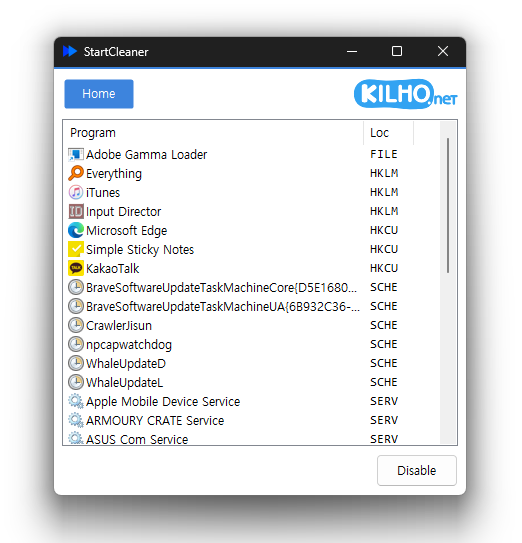
Feature
- Easily manage programs that run automatically at boot time.
- Unified management of startup folders, registry, task scheduler, services, and more.
- Safely change settings by disabling instead of deleting.
Usage
- Select the list you'd like to remove, then click the "Disable" button.
Homepage
License
- StartCleaner is Freeware.
- Use it anywhere you like — at the office, at home, in government offices, or at school.
- You may redistribute it freely anywhere.
History
-
Version 2.0.3 (2026/10/26)
- Fixed unexpected exits while loading the startup list in some environments
- Fixed list rows appearing partially clipped while scrolling
- Added a restart after graphics errors in some environments
-
Version 2.0.2 (2026/10/03)
- Reduced unexpected program exits on affected systems
-
Version 2.0.1 (2026/10/01)
- Improved performance and reliability with a new Rust port
- Improved managing startup programs and services quickly in one place
- Refined lists and workflows for easier access to key features
-
Update Policy Notice
- Auto-update is not supported to enhance security and prevent antivirus false positives.
- Updates are manually distributed after internal verification and stability confirmation.
 Download
(Windows)