

KTimer
Auto Scheduling Shutdown Program
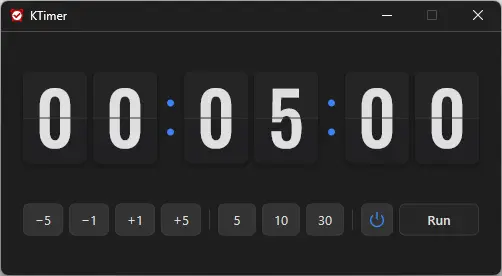
Feature
- You can automatically shut down your computer at a time of your choosing.
- The computer shutdown screen is automatically captured.
Usage
- Select the time that you want it to end.
- Click the Run button.
Homepage
License
- KTimer is Freeware.
- Use it anywhere you like — at the office, at home, in government offices, or at school.
- You may redistribute it freely anywhere.
History
-
Version 2.0.1 (2026/10/27)
- Changed power mode selection to a highlighted two-button Power/Moon toggle, narrowed timer buttons to keep the controls on one row
-
Version 2.0.0 (2026/09/23)
- Introduced a stylish flip clock design for faster time checking
- Added intuitive buttons for quicker and easier time setup
- Improved shutdown and sleep selection with clear visual icons
- Applied sharper number styling and colors optimized for the dark interface
- Improved display behavior and reliability in certain user environments
- Redesigned the entire app for a lighter and smoother experience
-
Version 1.3.2 (2026/08/21)
- Improved menu options and behavior based on hibernation support
- Improved sleep mode switching and added a notification when switching fails
- Fixed an auto-start setup issue that could occur with certain security software
- Improved stability by reorganizing internal settings
- Improved update checking
-
Update Policy Notice
- Auto-update is not supported to enhance security and prevent antivirus false positives.
- Updates are manually distributed after internal verification and stability confirmation.
 Download
(Windows)