

Secret Video
A dedicated player for conveniently watching videos from various sites.
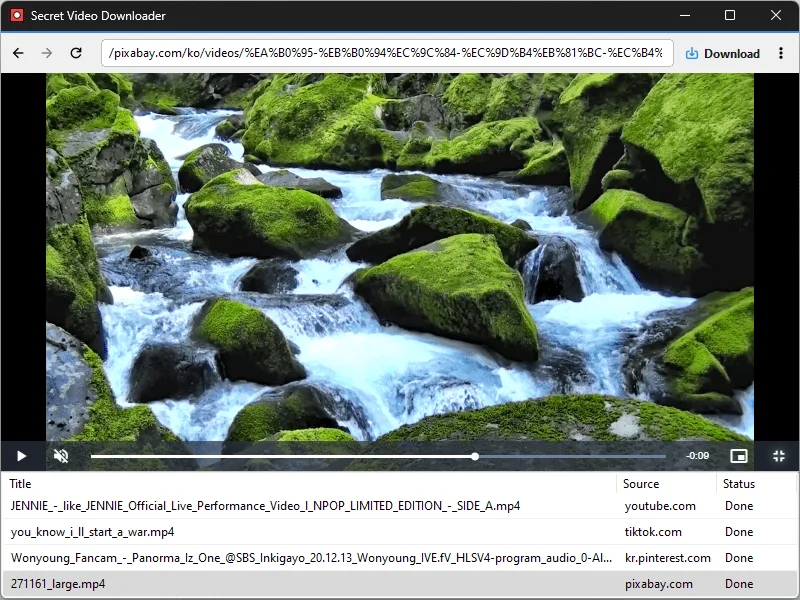
Feature
- Conveniently watch videos from OTT services and various other websites.
- Automatically switch full-screen video to a PIP window.
- Freely adjust the position and size of the PIP window.
- Keep watching in the PIP window while doing other work.
- Save an entire web page as an image with a hotkey.
- Easily save publicly available videos.
Usage
- Select a site from the home screen, then play a video.
Homepage
License
- Secret Video is Freeware.
- Use it anywhere you like — at the office, at home, in government offices, or at school.
- You may redistribute it freely anywhere.
History
-
Version 1.4.1 (2026/10/31)
- Changed sized sign-in popups to open in a separate window
-
Version 1.4.0 (2026/10/24)
- Changed save-folder selection from a Browse button to clicking the field
- Changed shortcut-entry styling to muted text and an accent border
- Refined dropdowns to highlight only the item under the pointer
- Refined separators and the delete item label in the download-list context menu
- Updated the installer to close a running app normally during installation and removal
-
Version 1.3.5 (2026/10/19)
- Expanded support for video and social media platforms
- Added automatic extension updates
- Added a Home button to the address bar
-
Update Policy Notice
- Auto-update is not supported to enhance security and prevent antivirus false positives.
- Updates are manually distributed after internal verification and stability confirmation.
 Download
(Windows)