
There is a new post. Click here to view the latest post.
Perbarui
- Made it easier to choose size and output format right after adding files
- Moved size settings to a more convenient spot for a smoother workflow
- Added height-based resizing for more flexible size control
- Improved the auto-convert flow so it finishes more smoothly
- You can change various image formats.
- Save JPG with higher compression using MozJPEG.
- Specify the width and the image will be resized accordingly.
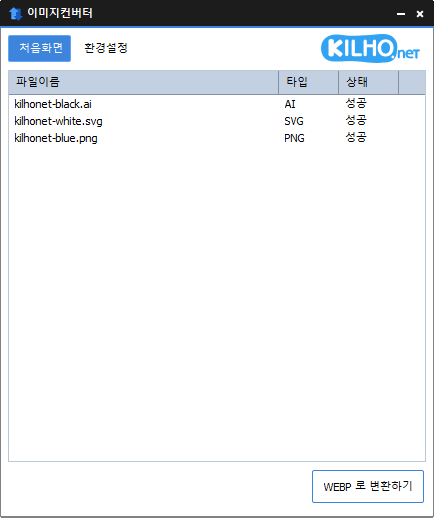
- Supports PDF, SVG, AI, PSD, PNG, JPG, GIF, WEBP, and TGA.
- Images with file signature information are recognized even if they don't have an extension.
Homepage
- ImageConverter: https://imageconverter.kilho.net
History
-
Version 1.5.8 (2026/03/01)
- Fixed an issue where certain image files were not recognized correctly
- Improved stability for detecting newer image formats
-
Version 1.5.7 (2026/02/03)
- Fixed issues that could occur during image file processing to improve overall stability
- Improved handling of external image files for enhanced application safety
-
Version 1.5.6 (2026/01/09)
- Fixed an issue that could cause an error during program shutdown while checking for updates
-
Version 1.5.5 (2025/10/15)
- Fixed an error that occurred during file conversion
License
- ImageConverter is freeware.
- You can use it freely anywhere, including at home, at work, in government offices, and at school.
- You are free to distribute it anywhere.
Download
 Download
(Windows)
Frequently Asked Questions (FAQ)
- Is ImageConverter free?
Yes, ImageConverter is free to use anywhere, including at home, at work, in government offices, and at school. - Which image formats does it support?
It supports conversion between most image formats, including PDF, SVG, PSD, PNG, JPG, GIF, and WEBP. - Can I save JPG images with a higher compression ratio?
Yes, MozJPEG technology lets you save images with a higher compression ratio than standard JPG. - Do I need to install it?
No, you can use ImageConverter right away without installing anything. - Can I convert multiple images at once?
Yes, you can drag multiple images into the list and convert them all at once.
Related Links
- Update information: https://kilho.net/archives/notice/2940